
Use case
Filter websites on company computers
Phishing pages, gambling, file-sharing sites that walk around your storage rules: every organisation has a list of sites its computers should not open, and most have no way to enforce it.
Why it is hard
What goes wrong today.
Rules in a network firewall stop working the moment a laptop leaves the office.
A filter that only blocks, with no explanation and no way to ask, gets switched off or worked around.
The policy
What a policy says, whatever tool you use.
- Name the kinds of site that are not opened on company computers, and the ones that are always allowed.
- Show people why a site was blocked, in the organisation's own words.
- Give people a way to ask for a site, and answer them.
- Record what was blocked, not everything people read.
Trustwelt Web Protection
How Trustwelt does it.
Write the rules
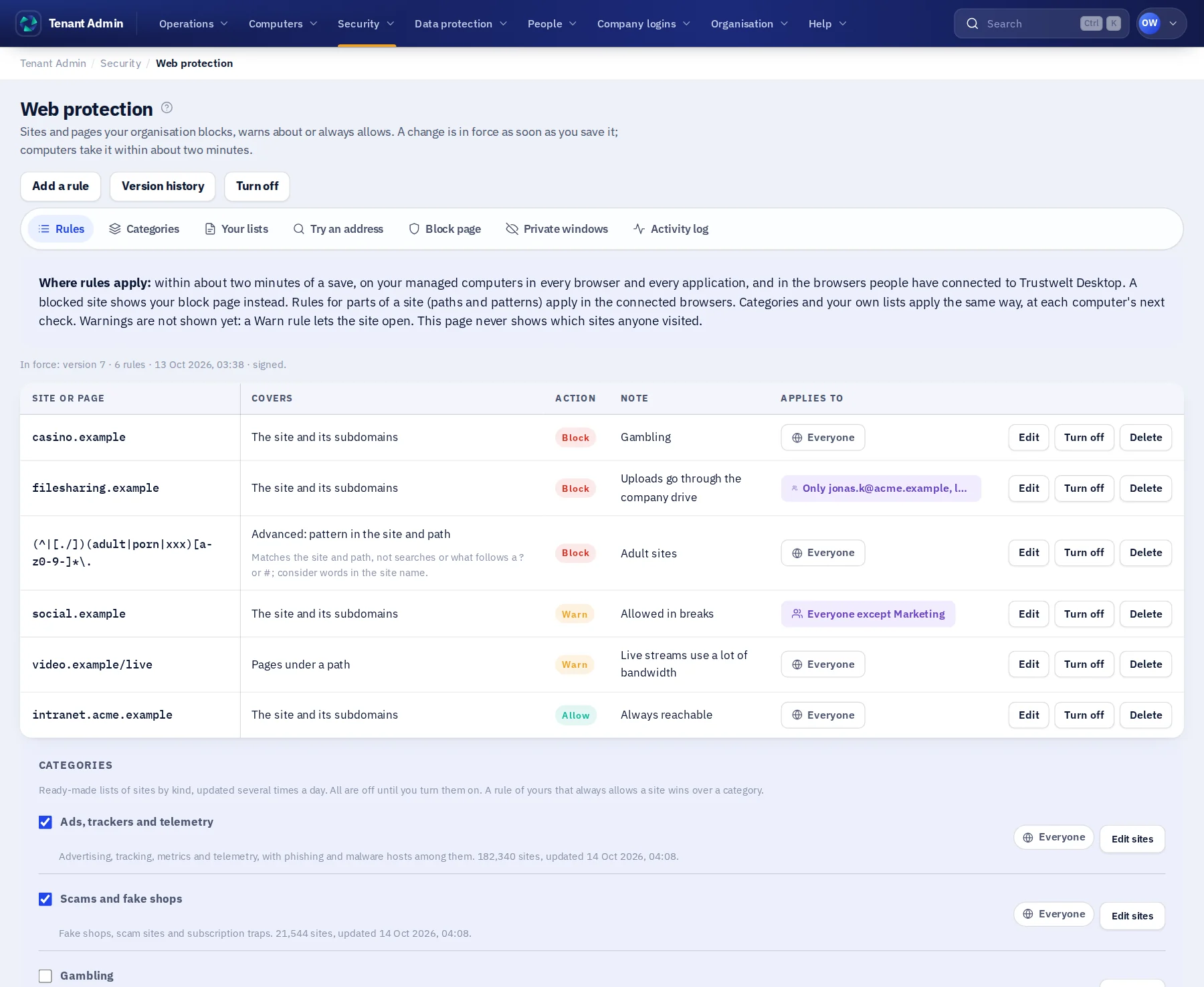
Block, warn or allow a site and everything under it, pages under a path, or words in a site's name. Try an address in the simulator before you save.
Turn on categories
Malware and phishing, scams, adult content, gambling, ads and trackers, each off until you turn it on, refreshed every four hours, plus your own lists.
Your block page
A blocked site shows your organisation's page, with a way to ask for it to be opened.
Live everywhere
Saved rules are signed and on your computers within about two minutes, in every browser with the extension.
Where it runs
Trustwelt Web Protection runs on these computers.
Tenant Admin, Trustwelt Desktop and its browser extension on every computer; the network filter for every program on managed Linux computers.
Read next
The modules behind it.
- Trustwelt Web Protection
Site rules
About Site rules about Site rulesBlock, warn or allow a site, a part of a site or words in a name, in every application.
- Trustwelt Web Protection
Categories and lists
About Categories and lists about Categories and listsReady-made categories and your own lists, kept up to date for you.
- Trustwelt Web Protection
Block page and access requests
About Block page and access requests about Block page and access requestsYour words on a blocked site, and a way to ask for it.
- Trustwelt Web Protection
Allow list
About Allow list about Allow listSites and networks that are always allowed, above every category and list.