
Trustwelt Vault · Company logins
Shared accounts, used without being seen.
The logins your organisation owns (a supplier portal, a social account, a bank's admin site) are held once in Trustwelt. People and teams you grant can sign in with them; the password is filled into the page and never appears on their screen, in a clipboard or in an export.
A module of Trustwelt Vault, included with it. Runs on: Trustwelt Desktop and its browser extension on Linux, Windows and macOS; Tenant Admin; the Business and Enterprise plans.
What it does
Company logins, in plain words.
- Grants
Use, share or manage
Give a person or a group the right to use a login, to share it further, or to manage it. A role ceiling caps what each role may ever be given.
- Fill
Filled, not shown
Trustwelt Desktop fills the password straight into the site's sign-in form after a one-time permission; the person never reads it.
- Change
Rotate once, everyone has it
Change the password in one place; everyone who may use the login has the new one at their next fill.
- Leavers
Access ends with the person
Remove someone from the organisation and every login they could use is gone from their computers at the next check.
How it works
From the console to the computer.
Register the login
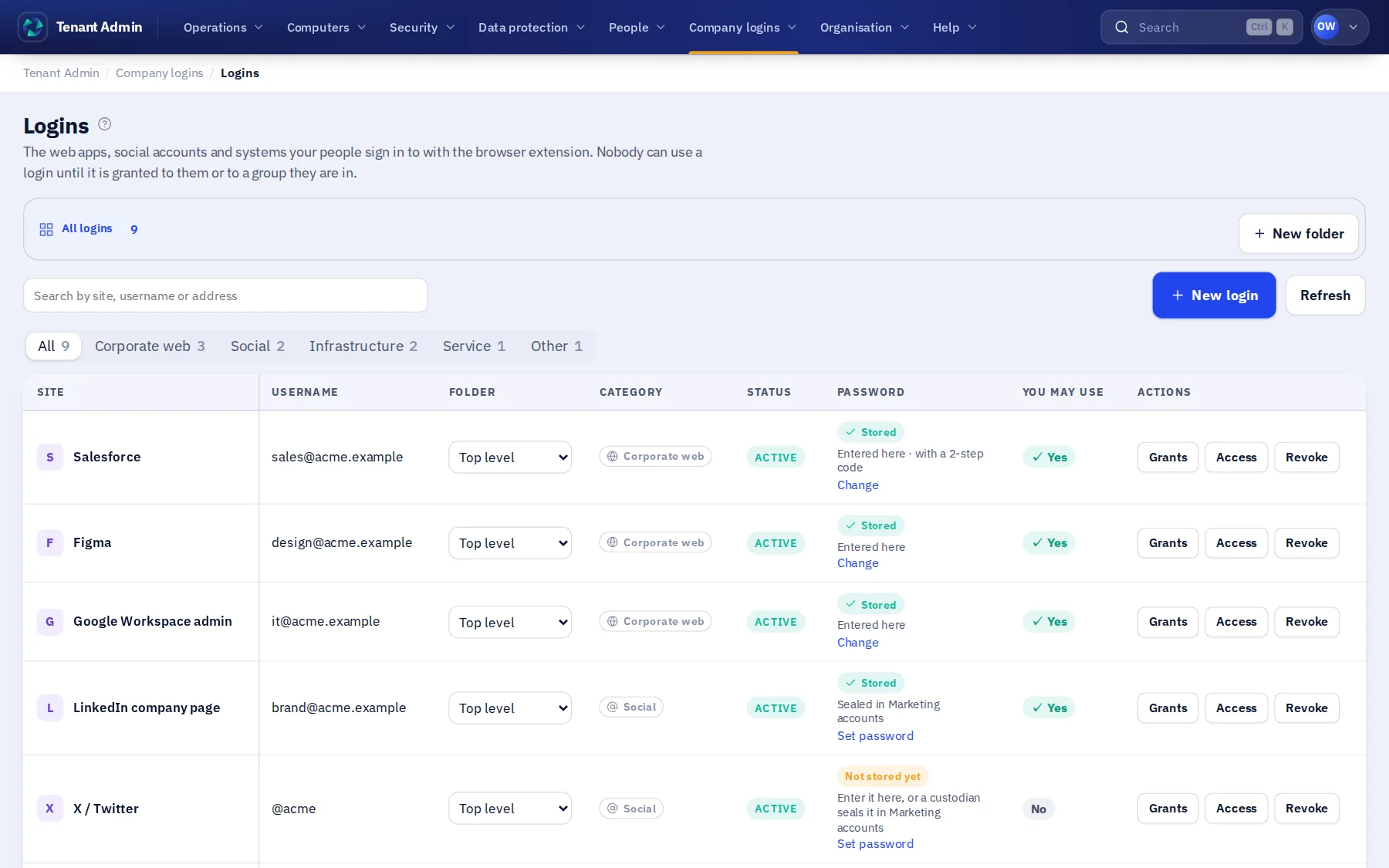
An administrator adds the site and its sign-in in Tenant Admin › Logins, or moves it in from a browser.
Grant it
Choose the people or groups who may use it, and whether they may share it or manage it.
Use it
On the site, the person clicks Trustwelt in the password field and confirms; the form is filled.
See every use
Each fill is recorded with the person, the computer, the site and the time in the usage audit.
In Tenant Admin
What your administrators see.
What is recorded, and what never is
Your organisation sees this. Nothing else.
- UsesWho filled which company login, on which computer and site, and when.
- ChangesWho granted, removed or changed a login, and when.
Never:
- The password on a screen, in a clipboard or in a report.
- A person's own, personal logins: those are theirs alone.
Specification
Where it runs and how it is sold.
- Runs on
- Trustwelt Desktop on Windows, macOS and Linux, with its browser extension for Chrome, Edge, Brave and Firefox.
- Status
- Available on the Business and Enterprise plans.
- Sold as
- Part of Trustwelt Vault, per person per month.
Questions
Asked before buying.
- Can a person copy the password out?
- No. Trustwelt fills the form and never hands the password to the person, so there is nothing to copy.
- Does a person need a separate tool?
- No. Trustwelt Desktop and its browser extension do the filling; the person signs in to Trustwelt once with their master password.
More in Trustwelt Vault
The other modules, and what works with this one.
- Trustwelt Vault
Custodian scopes and requests
About Custodian scopes and requests about Custodian scopes and requestsAreas run by the people who own them, and access asked for in the open.
- Trustwelt Vault
Usage audit
About Usage audit about Usage auditEvery use of every company login and card, in one record.
- Trustwelt Vault
Company cards
About Company cards about Company cardsPayment cards used for the organisation, with the number never handed over.
- Trustwelt Vault
Company servers
About Company servers about Company serversSSH keys for company servers, used from people's terminals and AI agents without being handed over.
Start with Trustwelt Vault.
Company logins comes with Trustwelt Vault, sold on its own per person per month. An organisation account is free.