
Pricing
Security that scales with you.
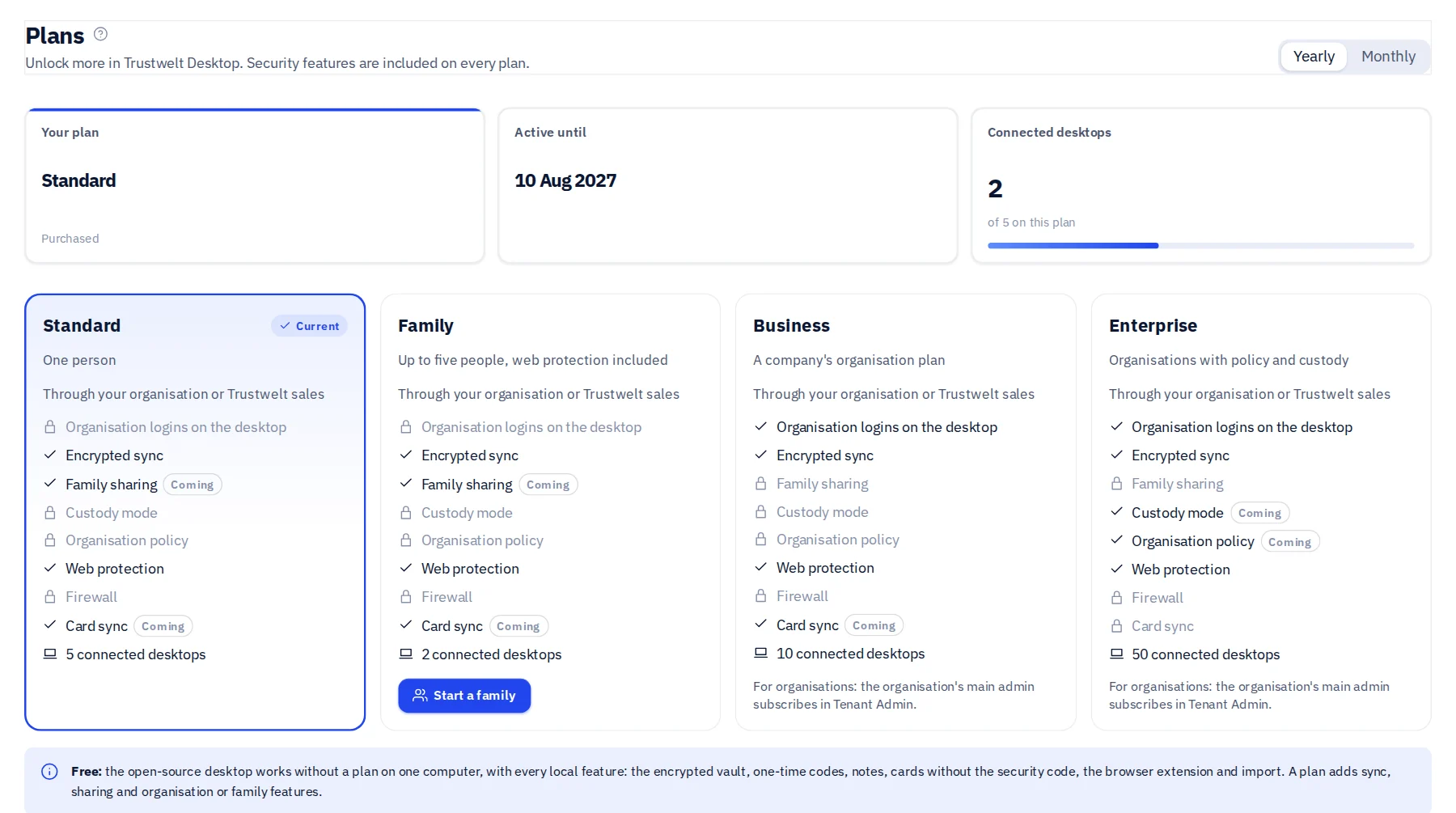
Organisations run managed computers, web protection and company logins on Business and Enterprise; a household has the Family plan; one person has Standard, web protection included. The open-source desktop is free. Every plan gets the same encryption, isolation and device identity. Prices are agreed with you.
Plans
Choose how you start.
Standard
For one person.
Contact us
Monthly or yearly. Cancel any time.
5 connected computers
- Everything the free open-source desktop does
- A Trustwelt account and the Portal: your computers, sessions, two-step sign-in
- End-to-end encrypted sync between your computers
- Your activity record and card metadata in your own Portal space
- Web protection with your own rules: the sites you block stay blocked on your computers
Family
For the people you live with.
Contact us
Up to 5 people. A sixth and beyond: 1 $ a month each. Cancel any time.
2 connected computers per person
- Everything in Standard, for each of the five
- Web protection on every computer in the family, with the family's own block page
- Children added by a parent, with parental control that ends at 18
- The organiser sees only what was blocked, never what anyone visits
- Shared collections for the household
Business
For companies and their teams.
Contact us
Per organisation, monthly or yearly.
10 connected computers per person
- Managed computers: set up once, always on, reporting in
- Web protection in every browser and application, with your own block page
- Company logins and cards, used but never shared
- Tenant Admin: people, roles, admin areas and single sign-on
- Access requests, custodian scopes and the usage audit
- Device enrolment, posture, policy and remediation
- Everything in Standard, for every person
Enterprise
For fleets and regulated organisations.
Contact us
Agreed with you, per organisation.
Unlimited computers
- Everything in Business
- An organisation-held recovery key for custodian scopes
- Fleet-scale policy, incidents and lifecycle
- Architecture and assurance conversations with our team
Free: the open-source desktop
Vault Lite, the vault inside Trustwelt Desktop, is free software and needs no account. You get every local feature on one computer: the encrypted vault, one-time codes, notes, payment cards without the security code, the browser extension and import from other password managers and browsers. It is a limited edition on purpose: no sync between computers, no sharing, no account, no organisation or family features. A plan adds those; it can never switch a security control off.
How subscribing works
- Tell us which plan and period you want. You receive a price by email, tied to your account or organisation.
- Subscribe in the Portal, or in Tenant Admin for an organisation. The price and currency are shown before you pay.
- Payment happens on the provider's secure page. Trustwelt never sees or stores your card number.
- Trustwelt Desktop picks the new plan up at its next refresh, on every computer connected to your account.
- Cancel any time. The plan runs to the end of the paid period, with a few days of grace for a failed renewal.
Compare
What each plan includes.
| Feature | Standard | Family | Business | Enterprise |
|---|---|---|---|---|
| Vault encryption, Secret Key, key file, recovery kit, auto-lock | Included | Included | Included | Included |
| One-time codes, password generator, password history | Included | Included | Included | Included |
| Import from password managers and browsers | Included | Included | Included | Included |
| Browser extension in Chromium and Firefox families | Included | Included | Included | Included |
| Payment cards on your computer, never the security code | Included | Included | Included | Included |
| Private activity record on your computer | Included | Included | Included | Included |
| Two-step sign-in, security keys, recovery codes, session control | Included | Included | Included | Included |
| Connected computers | 5 | 2 per person | 10 per person | Unlimited |
| End-to-end encrypted sync | Included | Included | Included | Included |
| Shared collections | Not included | Included | Included | Included |
| Card copies to your own account, with consent per card | Included | Included | Included | Included |
| Your activity and card metadata in your Portal space | Included | Included | Included | Included |
| Tenant Admin: people, roles, groups, admin areas | Not included | Not included | Included | Included |
| Single sign-on and your own mail server | Not included | Not included | Included | Included |
| Company logins, access matrix, requests, delegated sharing | Not included | Not included | Included | Included |
| Custodian scopes and company cards | Not included | Not included | Included | Included |
| Usage audit with amounts, CSV export, retention settings | Not included | Not included | Included | Included |
| Web protection: site rules, your own block page, blocks on record; in every application on a protected computer | Included | Included | Included | Included |
| Family: up to 5 people, children's computers kept protected, a sixth person at 1 $ a month | Not included | Included | Not included | Not included |
| Managed computers: set up once, always on, not-reporting alerts | Not included | Not included | Included | Included |
| Device enrolment, posture, policy, remediation, incidents | Not included | Not included | Included | Included |
| Organisation-held recovery key for scopes | Not included | Not included | Not included | Included |
| Architecture and assurance conversations | Not included | Not included | Not included | Included |
Our pricing rules
A lower plan never means weaker security.
- Never gatedEncryption, the Secret Key, two-step sign-in, auto-lock, import and device revocation are on every plan and without a plan.
- No dark patternsNo countdown discounts, no hidden fees. You see the price before you pay, and cancelling is one click in the Portal.
- Your data stays yoursA plan that ends takes nothing from your computer. The vault, the cards and the activity record stay with you.
Questions
Common questions.
- Is there a free version?
- Yes: the open-source desktop. Vault Lite, the vault inside Trustwelt Desktop, is free software and works without an account, with every local feature: the encrypted vault, one-time codes, cards without the security code, the browser extension and import. It is limited to one computer at a time: no sync, no sharing, no organisation or family features. Those come with a plan.
- How does a subscription work?
- Every paid plan is a subscription, monthly or yearly, renewed until you cancel. You see the price before you pay, and payment happens on the provider's page. Cancelling keeps the plan until the end of the paid period; after that the desktop keeps working with its free, local features.
- What happens to my vault when a plan ends?
- Nothing. Your vault stays on your computer and keeps working as the open-source desktop does: every local feature, no account features. Sync stops, shared collections stop updating, and your organisation's or family's items leave the computer.
- How does the Family plan work?
- One person, the organiser, starts the family in the Portal and pays. They invite up to four more people by e-mail; adults join with their own Trustwelt account and keep their own vault, which nobody else in the family can open. Children are added by a parent on the child's own computer. A sixth person and beyond costs 1 $ a month each.
- What does the family's organiser see?
- Which sites the family's rules blocked on each computer, and whether each computer is protected. Never the sites anyone visits, never a password, note or card. Every member sees in their own Portal exactly what the organiser can see of them, and an adult can leave at any time.
- Who subscribes to Business and Enterprise?
- The organisation does, through its main Tenant Admin in Tenant Admin. The plan then applies to everyone in the organisation, and the main admin can cancel it.
- Why does the site say contact us instead of a price?
- Prices for Standard, Family, Business and Enterprise are agreed with you and applied to your account or organisation. Write to us and you will have a quote by email.
- Is any security feature reserved for a paid plan?
- No. Encryption, the Secret Key, two-step sign-in, auto-lock, import and device revocation are on every plan and without a plan. Plans add capabilities; they never switch a control off.