
Trustwelt Web Protection · Allow list
What must always open, opens.
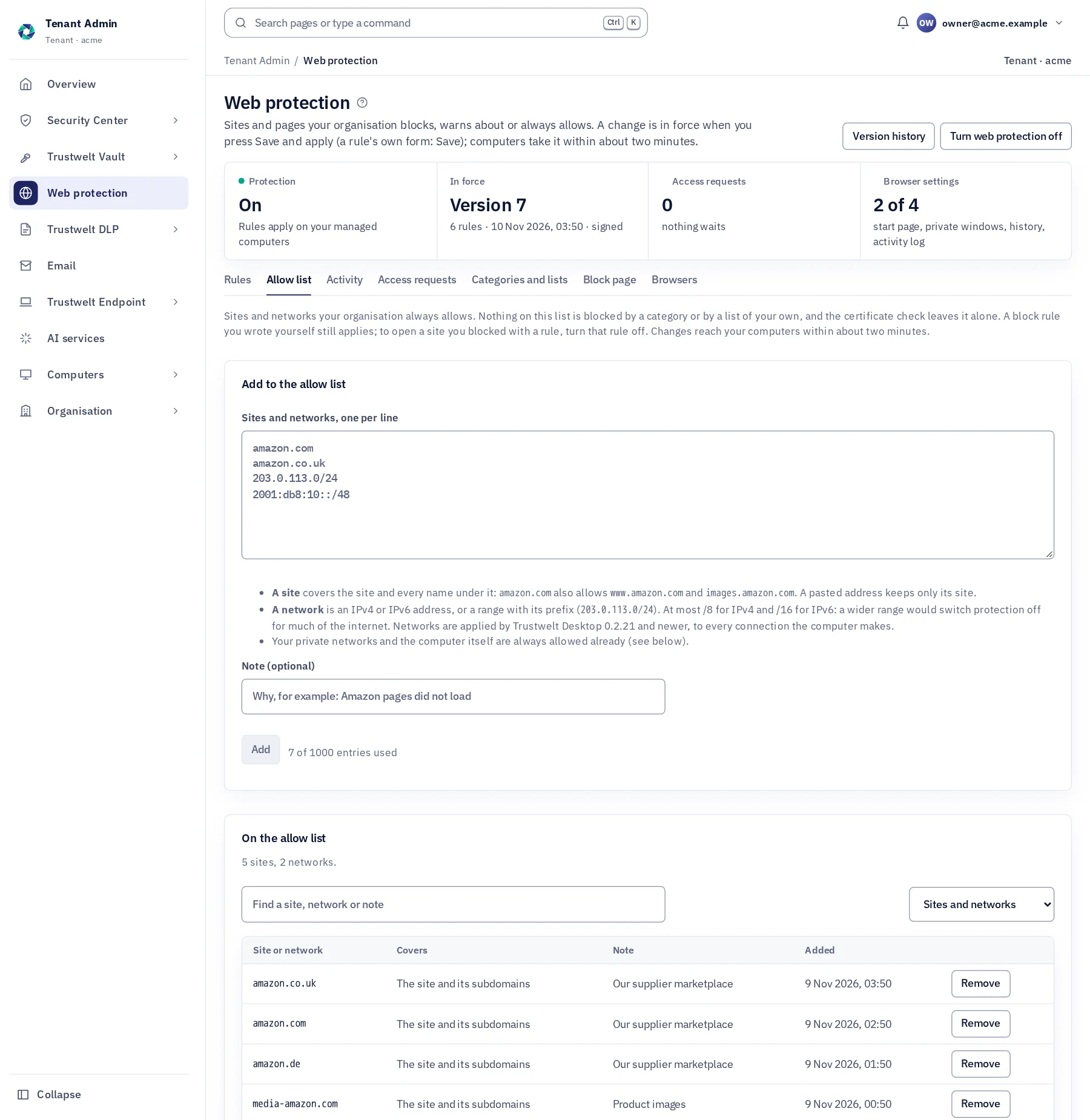
Some sites must never be caught by a list: your suppliers, your own services, a marketplace your staff buy from. Put them on the allow list, as sites or as networks, and no category and no list of your own can block them. Your private networks and the computer itself are always allowed already.
A module of Trustwelt Web Protection, included with it. Runs on: Tenant Admin, Trustwelt Desktop and its browser extension on every computer; the network filter for every program on managed Linux computers.
What it does
Allow list, in plain words.
- Sites
A site and everything under it
amazon.com also allows www.amazon.com and images.amazon.com; paste addresses one per line, a note for why.
- Networks
Addresses and ranges
IPv4 or IPv6, one address or a range such as 203.0.113.0/24; never wider than /8 or /16.
- Above lists
Categories cannot overrule it
Nothing on the list is blocked by a category or by your own lists, and the certificate check never sends it to the block page.
- Built in
Private networks
10.x, 172.16–31.x, 192.168.x, link-local and private IPv6, and the computer itself, are always allowed and listed on the same page.
How it works
From the console to the computer.
Add
Web protection › Allow list: paste sites and networks, one per line.
Sent
Signed with the rules and on your computers within about two minutes.
Review
Search, filter and remove entries; each change is recorded.
In Tenant Admin
What your administrators see.
What is recorded, and what never is
Your organisation sees this. Nothing else.
- ChangesWho added or removed an entry, and when.
Never:
- The whole internet on the list: a range wider than /8 (IPv4) or /16 (IPv6) is refused.
Specification
Where it runs and how it is sold.
- Runs on
- Sites: every Trustwelt Desktop, in every application and browser. Networks: every current Trustwelt Desktop.
- Size
- Up to 1,000 entries per organisation.
- Sold as
- Part of Trustwelt Web Protection; also in Standard and Family, for a person's or a family's own rules in the Portal.
Questions
Asked before buying.
- Does the allow list beat a block rule we wrote?
- A block rule you wrote for the same or a narrower address still applies; to open such a site, turn the rule off.
- Why do some sites need a name and a network?
- A browser matches names, the network filter addresses: for a site you reach by name, put the name on the list.
More in Trustwelt Web Protection
The other modules, and what works with this one.
- Trustwelt Web Protection
Categories and lists
About Categories and lists about Categories and listsReady-made categories and your own lists, kept up to date for you.
- Trustwelt Web Protection
Certificate check
About Certificate check about Certificate checkA site with a certificate the computer does not trust goes to the block page.
- Trustwelt Web Protection
Site rules
About Site rules about Site rulesBlock, warn or allow a site, a part of a site or words in a name, in every application.
- Trustwelt Web Protection
Block page and access requests
About Block page and access requests about Block page and access requestsYour words on a blocked site, and a way to ask for it.
- Trustwelt Web Protection
Web activity and browser history
About Web activity and browser history about Web activity and browser historyWhat was blocked, and, if you choose, what was opened; history kept in Trustwelt.
Start with Trustwelt Web Protection.
Allow list comes with Trustwelt Web Protection, sold on its own per person per month. An organisation account is free.