
Use case
Check outgoing e-mail for sensitive data
A spreadsheet of customers attached to the wrong address, a contract sent to a personal account: e-mail is still where most data leaves an organisation by mistake.
Why it is hard
What goes wrong today.
The mail service delivers what it is given. A rule in a mail client is only as good as the computer it runs on.
Blocking every attachment stops the business; reviewing every message by hand does not scale.
The policy
What a policy says, whatever tool you use.
- Say what may not leave by e-mail, and to whom: outside addresses, personal mail, a named client's domain only.
- Hold a message that needs a second look, rather than blocking all of them.
- Record why a message was blocked or held, and who read it.
- Close the other ways mail can leave a managed computer.
Trustwelt Secure MailGW
How Trustwelt does it.
Route mail through the gateway
Point your Microsoft 365 connector, Google Workspace route or your own mail server's smarthost at Trustwelt's gateway. Nothing to install.
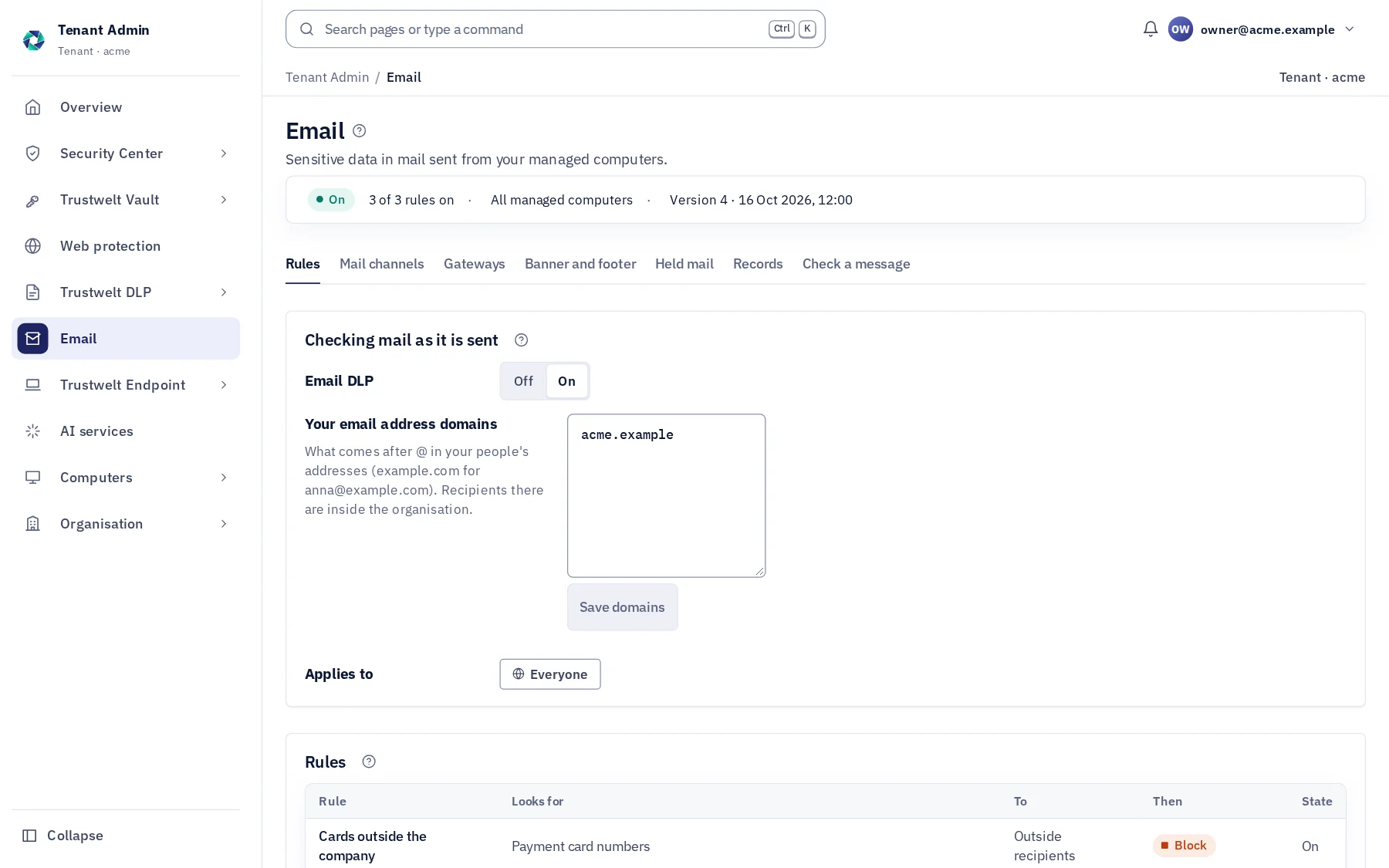
Write the rules
DLP's detectors, word lists and labels apply to every outgoing message and attachment.
Send, hold or block
A match blocks the message, holds it for a decision, or lets it go with the reason recorded; the message is stamped so the next hop knows it was checked.
Release or delete
An administrator releases or deletes held mail from Tenant Admin. Reading a held message's text needs a stated reason, which the sender sees.
Where it runs
Trustwelt Secure MailGW runs on these computers.
The gateway Trustwelt runs, or your own mail server; Microsoft 365, Google Workspace and your own mail; Thunderbird on managed computers.
Read next
The modules behind it.
- Trustwelt Secure MailGW
Hosted mail gateway
About Hosted mail gateway about Hosted mail gatewayA gateway Trustwelt runs for Microsoft 365, Google Workspace and your own server.
- Trustwelt Secure MailGW
Email rules
About Email rules about Email rulesWhat may go out by mail, decided by your rules, with a reason for each message.
- Trustwelt Secure MailGW
Held mail and message text
About Held mail and message text about Held mail and message textMessages held for a decision, released or deleted, with the text readable for a reason.
- Trustwelt Secure MailGW
Closed mail channels
About Closed mail channels about Closed mail channelsOn managed computers, mail goes only through your organisation's servers.