
Trustwelt Desktop
A password vault that stays on your computer.
Trustwelt Desktop keeps your logins, one-time codes, notes and payment cards in one encrypted file on your own device, for Windows, macOS and Linux. Its vault is open source, it needs no account, and when you do sign in, your secrets still travel only sealed end to end.
- 3desktop platforms
- 11browsers filled by the extension
- 12import formats
- 512 MiBArgon2id memory, by default
The vault
One file. Everything in it encrypted, titles included.
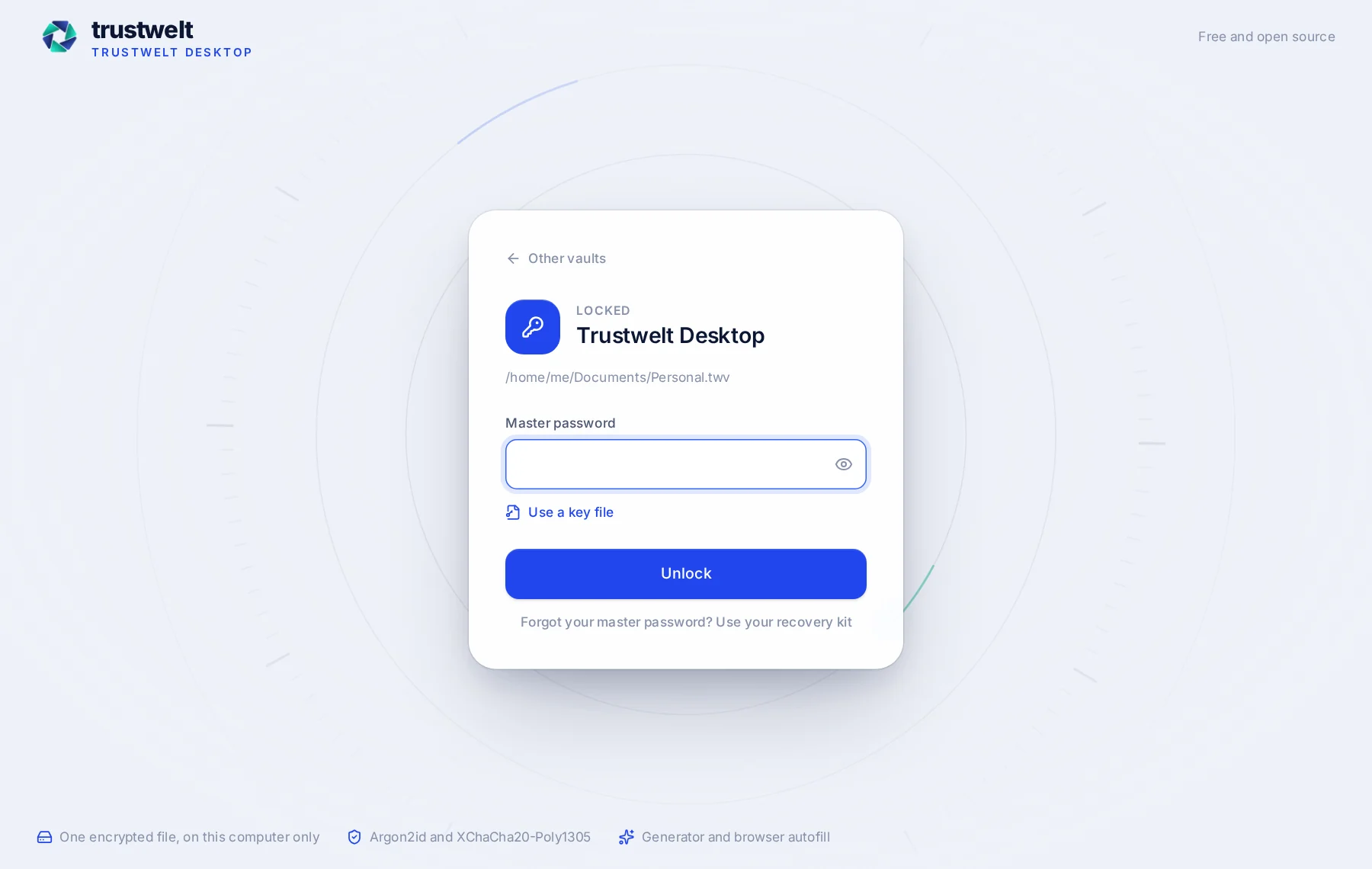
A Trustwelt Desktop vault is a single .twv file. The whole payload, from item titles to website addresses, is encrypted and authenticated, and the file is padded so its size gives away nothing about what is inside.
- Key derivation
- Argon2id, 512 MiB of memory by default, calibrated to about a second on your computer and never below the minimum.
- Encryption
- XChaCha20-Poly1305 with a fresh random nonce on every save. The header, key slots included, is authenticated together with the payload.
- Second factor for the file
- An optional Secret Key: 128 bits your computer remembers in the system key store, so a copy of the file cannot be attacked with the master password alone.
- Key file
- Any file you choose can be a second ingredient of the key, next to the master password.
- Recovery
- A printable recovery kit with a recovery key that opens the vault and lets you set a new master password. Trustwelt keeps no copy.
- Saves
- Atomic: written to a temporary file, synced to disk, renamed over the vault, with the previous version kept as a backup.
- Wrong password, wrong key file, tampered file
- One and the same error. There is nothing to learn from trying.
The vault service
The keys live in one small process. Nothing else gets them.
The window you see is not where the vault is open. A separate process, the vault service, holds the keys; the window, the browser and every other caller ask it for one thing at a time, and it refuses anything that would hand out the whole vault.
- Only a process of the same user can reach the service, checked by the operating system, and the window proves itself with a token nobody else has.
- Lists never contain a secret. A reveal is one field of one item, and only within two minutes of the master password being given again.
- Copying keeps the value out of the window entirely, and the clipboard is cleared after a delay you choose.
- The service reads key files and import files itself, so their contents never pass through the window.
- Auto-lock after a period of inactivity, and on closing the window. Locking wipes the keys from memory.
What you keep in it
Logins, codes, cards, addresses, documents and the odd secret that fits nowhere else.
- Logins with a username, a password, several websites, notes, tags and custom fields, protected where you say so.
- One-time codes from an authenticator secret or an otpauth link, counting down in the window and filled by the extension.
- Password history, so a rotated password is still there when a site kept the old one.
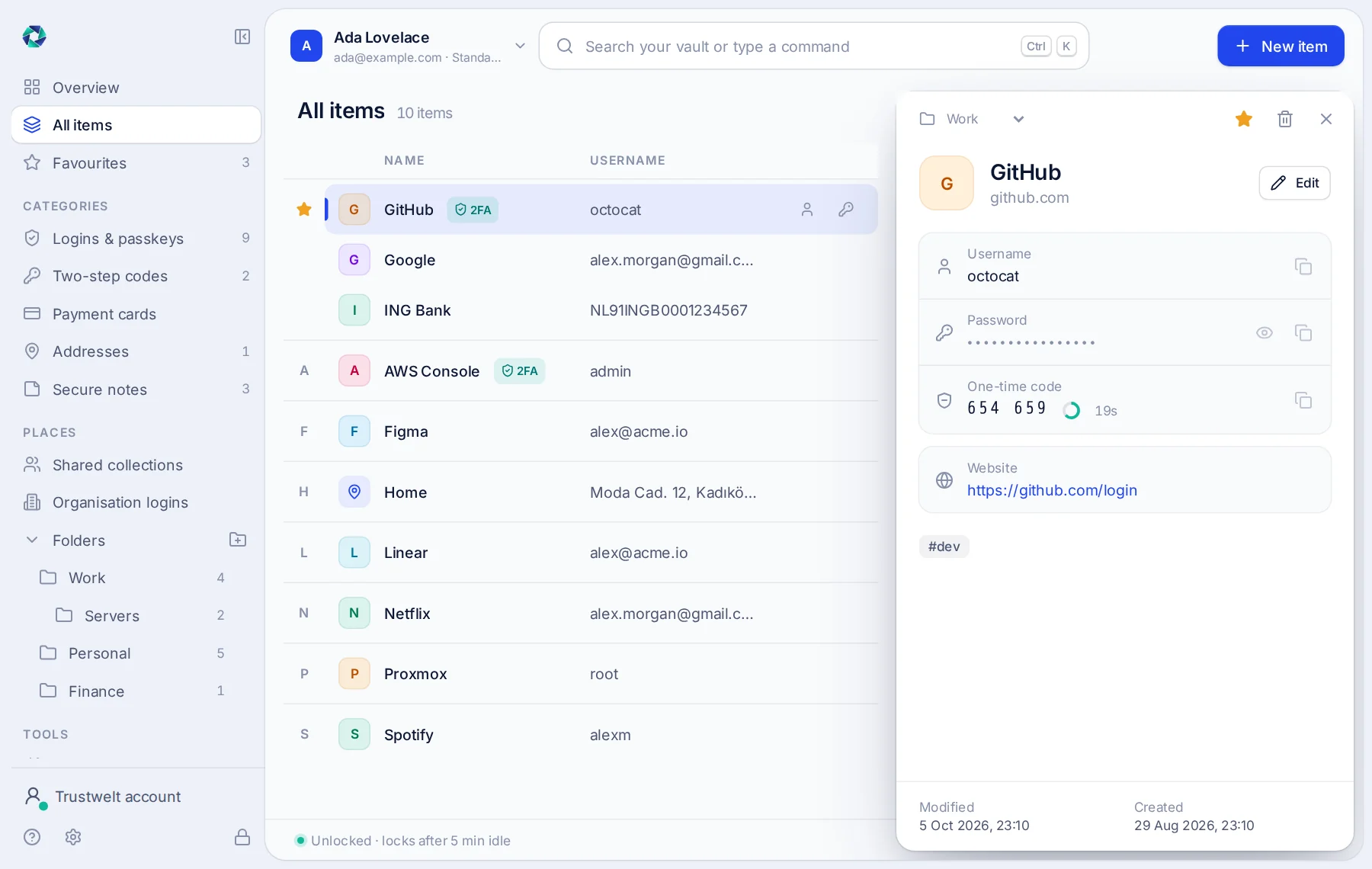
- Folders with subfolders, favourites and a search that matches titles, usernames, sites and tags.
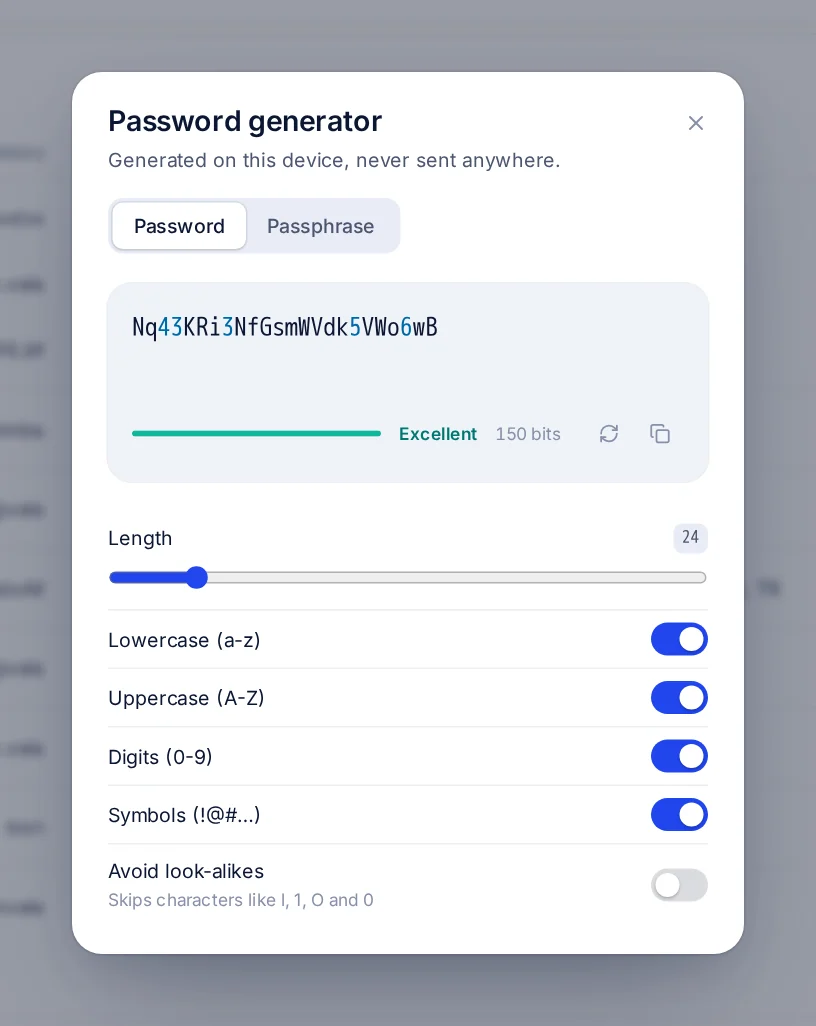
- A generator for random passwords and for passphrases from the EFF word list, with a strength meter.
- Payment cards, kept without the security code.
- Addresses, IBANs, loyalty cards, travel numbers and vehicles, filled into a page's form when you choose them.
- Passports, identity cards and driver's licences: the numbers only, never a photo, and Trustwelt Desktop asks before every fill.
Payment cards
Your cards, without the security code.
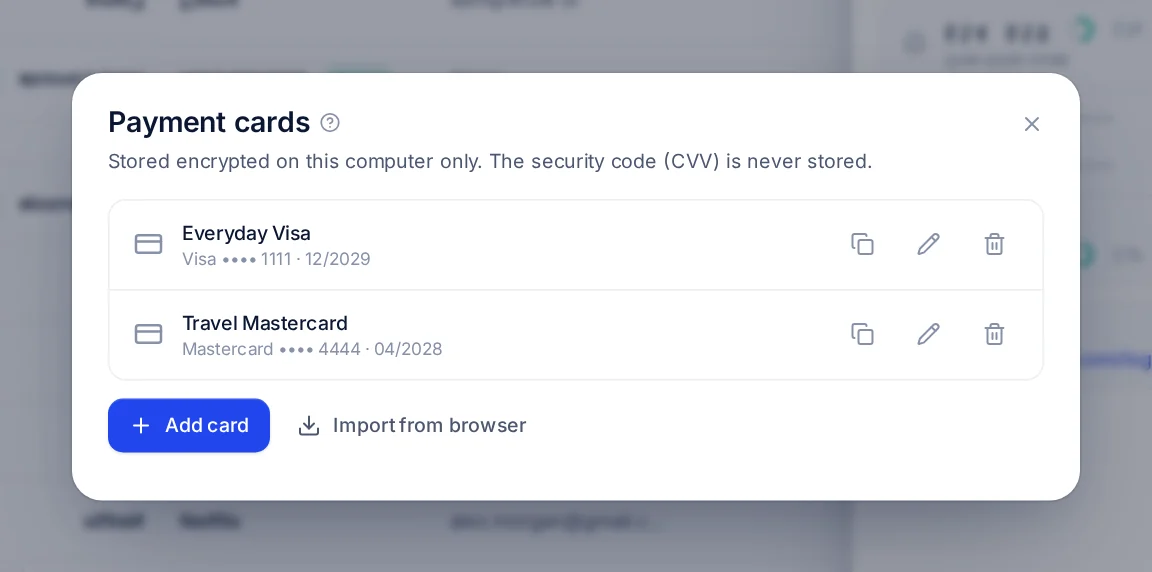
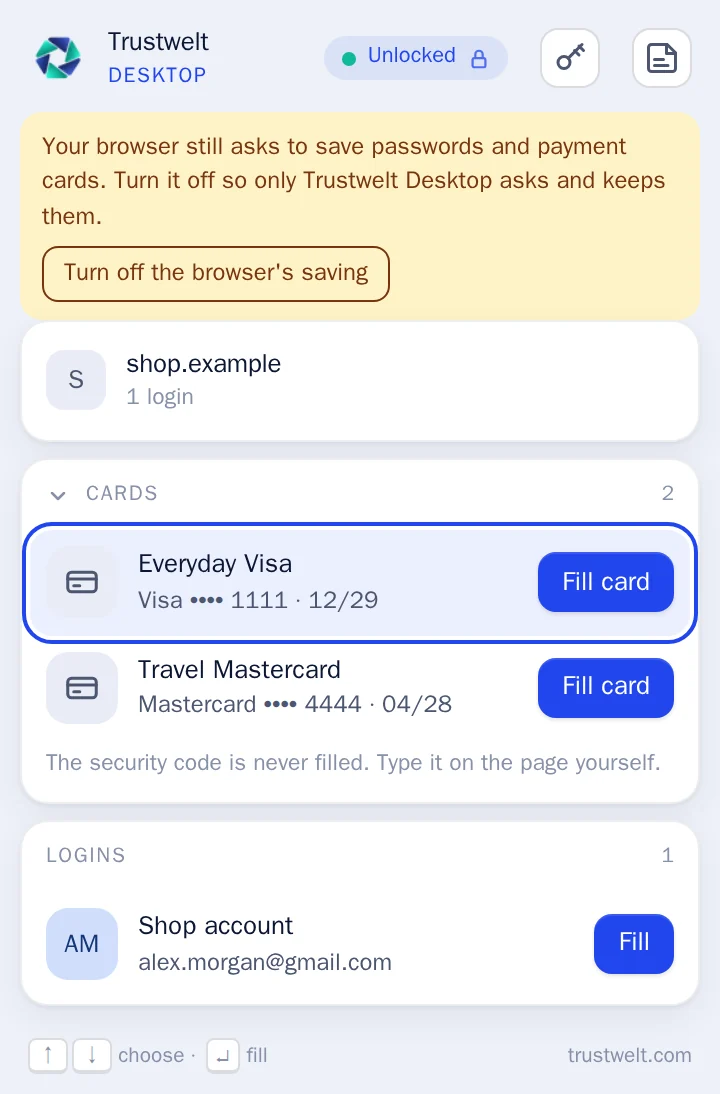
Keep your own cards in Trustwelt Desktop and fill them at checkout. The security code is never stored anywhere: there is no field for it, and a save that carries one is refused. You type it on the page yourself, every time.
- Cards stay on your computer only, on every plan, with or without an account.
- Filling a card asks for your master password in Trustwelt Desktop, and works only on secure pages you have allowed.
- Paying with a card Trustwelt Desktop does not know yet? It offers to save it after you confirm, without the code.
- Lists show the last four digits. The full number leaves the vault only when you copy or show that one field.
- Encrypted copies of a card leave your computer only with your consent, card by card, and the consent can be withdrawn.
Moving in
Bring your data. Then clean up where it came from.
Open your vault, choose Import and pick the export. Trustwelt Desktop recognises the format itself, shows you what it found before anything is added, and puts it in a folder of its own so nothing gets mixed up.
- KeePass, KeePassXC, KeePassDX, Strongbox (.kdbx 3.1 and 4)
- Bitwarden (JSON and CSV)
- 1Password (1PUX and CSV)
- LastPass
- Dashlane
- Proton Pass
- NordPass
- RoboForm
- Chrome, Edge, Brave
- Firefox
- Safari and Apple Passwords
- Any CSV with a password column
- KeePass databases are read directly, with their password and key file: groups, history, one-time code secrets and custom attributes come over.
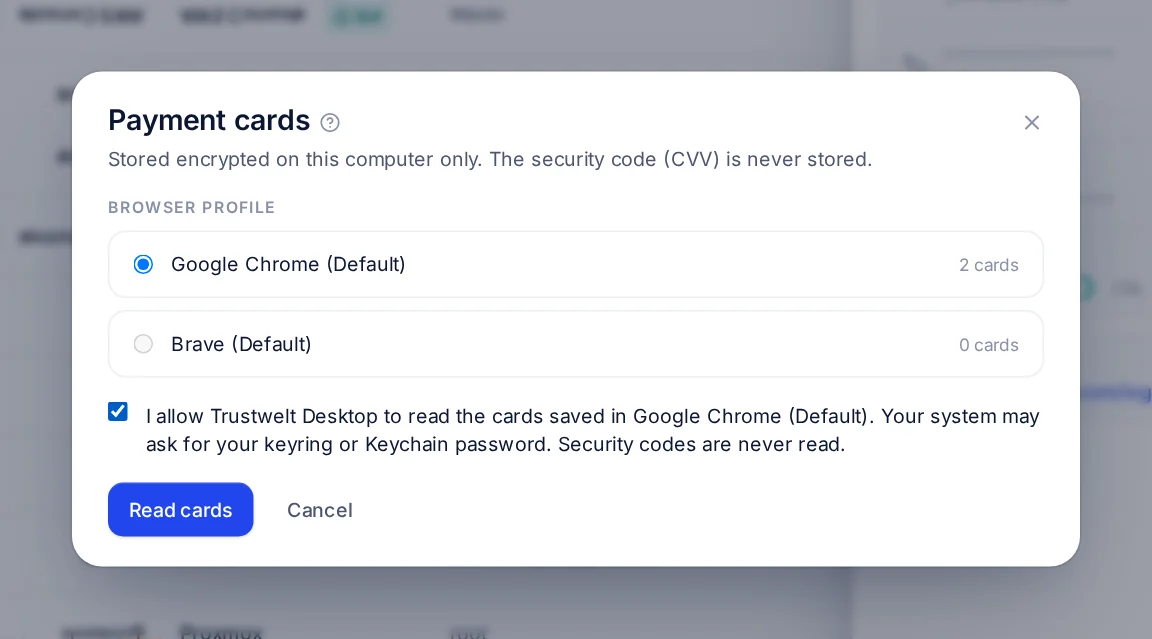
- Cards saved in Chrome, Edge and Brave on Linux and macOS, and in Firefox on Linux, can be read straight out of the browser profile, each step with your permission and never the security codes.
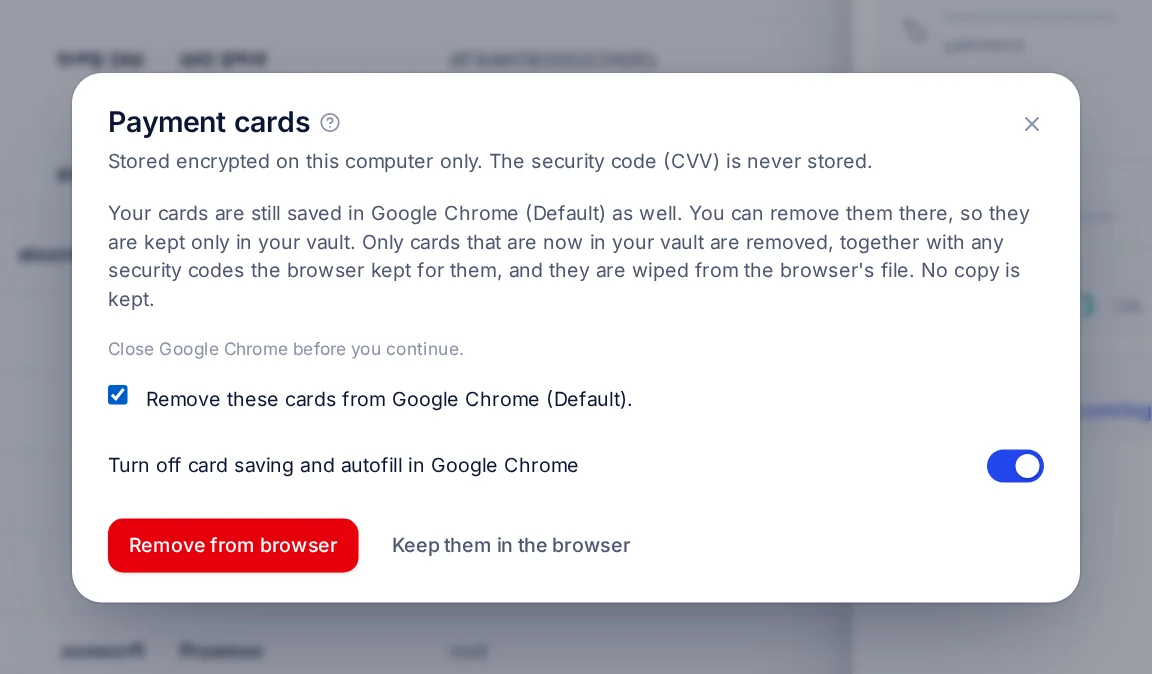
- Afterwards, Trustwelt Desktop can remove the browser's copies of the cards it now holds, wiped from the browser's file with no copy kept, and turn the browser's own saving off.
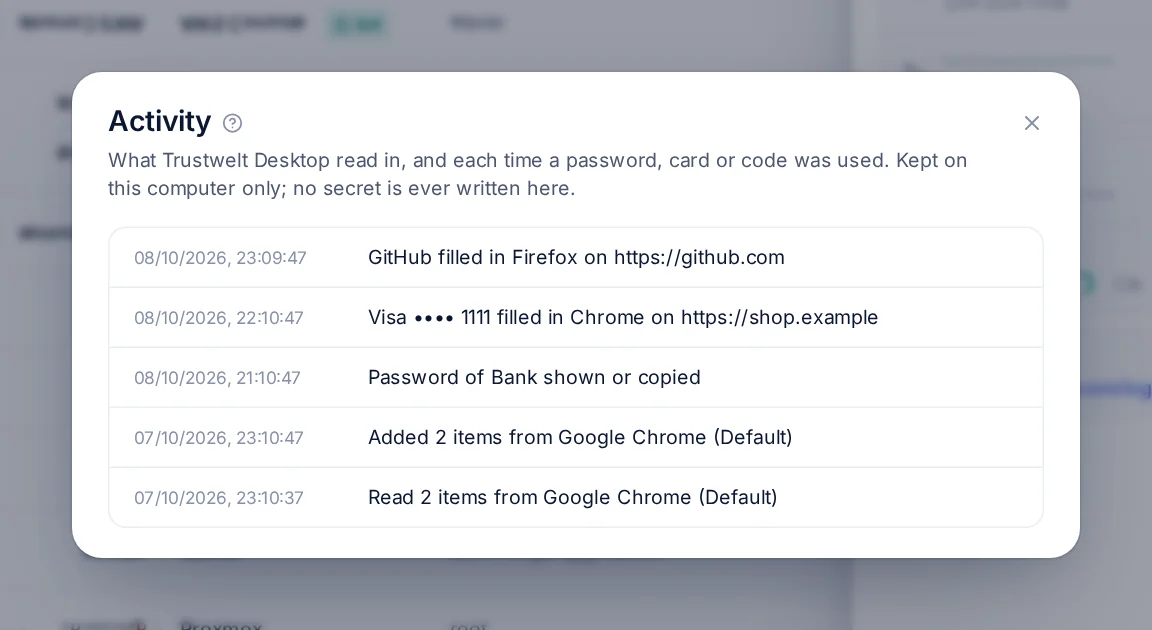
Activity
Your activity belongs to you.
Trustwelt Desktop keeps a record of what it read in and each time a password, card or code was used. It is written for you, not for whoever runs the computer.
- No secret is ever written to it: no password, card number or code.
- It is encrypted with your vault's key. An administrator of the computer, a backup or a management tool sees only ciphertext.
- Each entry is chained to the one before with a hash, so a removed or changed entry shows.
- Your own cards and private logins stay private, even on a laptop your employer gave you. Only company items can appear in your organisation's audit.
- Routine repeats are folded into one entry, so the record stays readable.
- With an account, the record can live in your own Portal space too, still end-to-end encrypted.
In the browser
Fill a login, a code or a card on the page you are on.
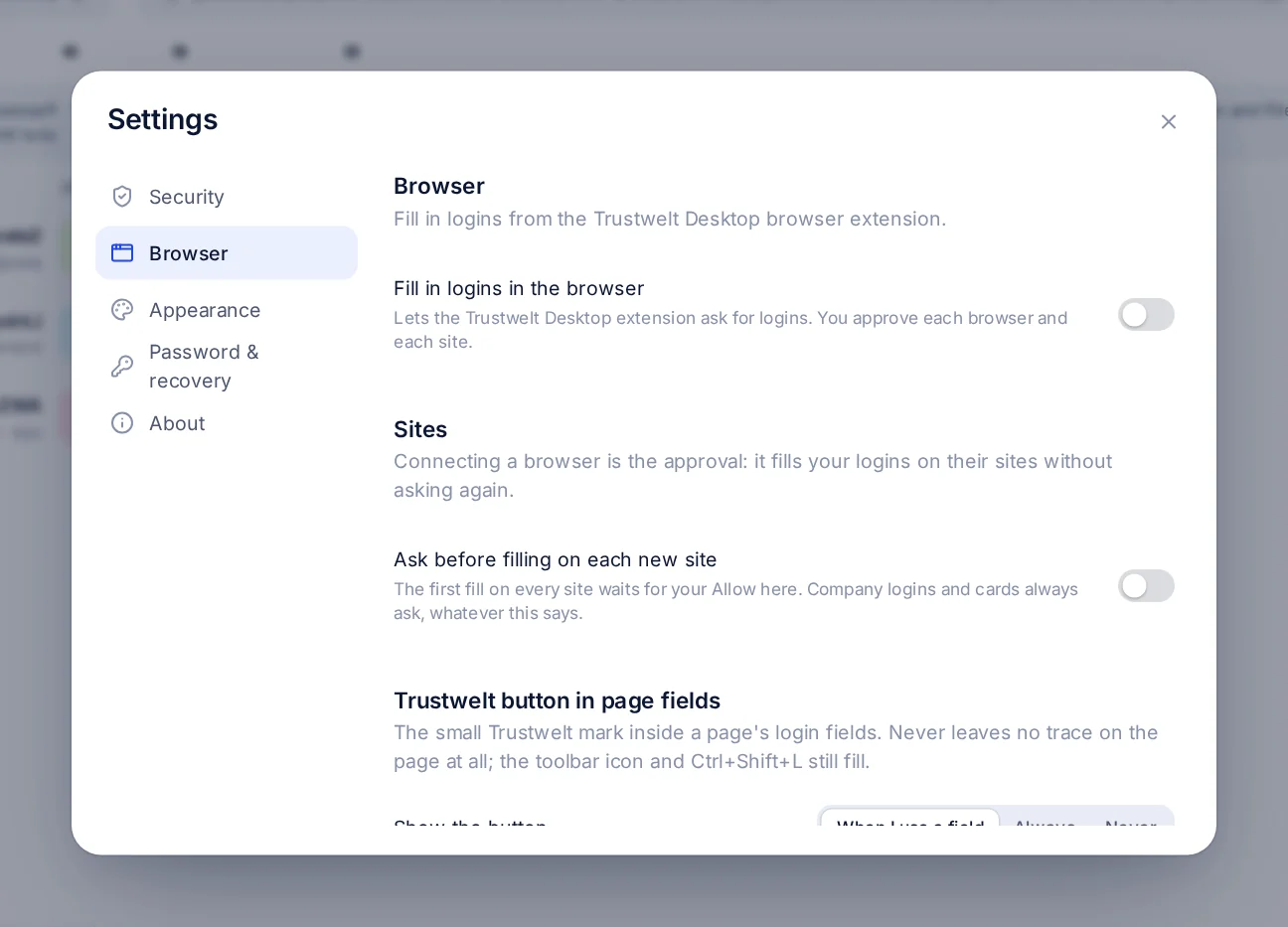
The extension pairs with Trustwelt Desktop once, by a code you compare on both sides. It then talks to the vault service over an encrypted channel and receives one login for one page, only after you allowed that site.
Chromium family
Chrome, Chromium, Brave, Edge, Vivaldi and Opera, including their beta and developer channels. Arc on macOS.
Firefox family
Firefox, LibreWolf, Waterfox, Floorp and Zen. Trustwelt Desktop writes the right native-messaging manifest for each one.
Set up from the app
Settings → Browser → Set up finds the browsers on your computer and connects them. On Windows, macOS and Linux.
Sync
Your vault on every computer you own, sealed end to end.
With a Trustwelt account, Trustwelt Desktop syncs your vault between your computers through the Core Sync service. Every item travels as an envelope encrypted with a key derived from your vault key. The server stores what it cannot read.
- What the server sees
- Identifiers, versions, sizes and times. Never a title, a website, a username or a secret.
- On our side
- Stored envelopes are encrypted a second time. Neither layer gives Trustwelt a key to what is inside.
- Conflicts
- An item changed on two computers keeps both versions. The other one becomes a conflict copy you choose from; passwords are never merged.
- Deletions
- Tombstones, so a deletion reaches every computer and a deleted item does not come back.
- A new computer
- Joins from the vault's key slots, your master password and your Secret Key. The items follow, and a wrong password fails at the first one, never silently.
- Offline
- Changes queue in an encrypted file next to the vault and go up when you are back.
- Who may sync
- Only your own signed-in, unrevoked desktops. Revoke one in the Portal and it is out at its next request.
- Cards
- Only with your consent, card by card. Withdrawing it deletes the copy at the next sync.
Sharing
Collections for your family or your team.
A collection is the unit of sharing. It has its own key, wrapped for each member's computers with a key that never leaves that computer's key store. Trustwelt cannot open a collection, and neither can anyone who was removed from it.
- Create a collection, move items into it, and invite people with a code. Their computers receive the collection key wrapped for them.
- Each item version is sealed under its own key, wrapped by the collection key, so the server stores nothing it can read.
- Removing a member rotates the collection key and re-wraps it for everyone who stays. Their copy is purged.
- Members see who is in a collection and which of their computers still wait for the key.
- The same mechanism carries your organisation's scopes: a custodian scope is a collection whose key reaches only its custodians and members.
With an account
Signing in is optional. Here is what it adds.
Sign in to Trustwelt from Trustwelt Desktop and the app never sees your Portal password: the sign-in happens in your browser, and the desktop receives a grant bound to that computer. A signed plan document tells the app what your plan includes, and keeps working for seven days offline.
- Sync and shared collections on Standard, Business and Enterprise.
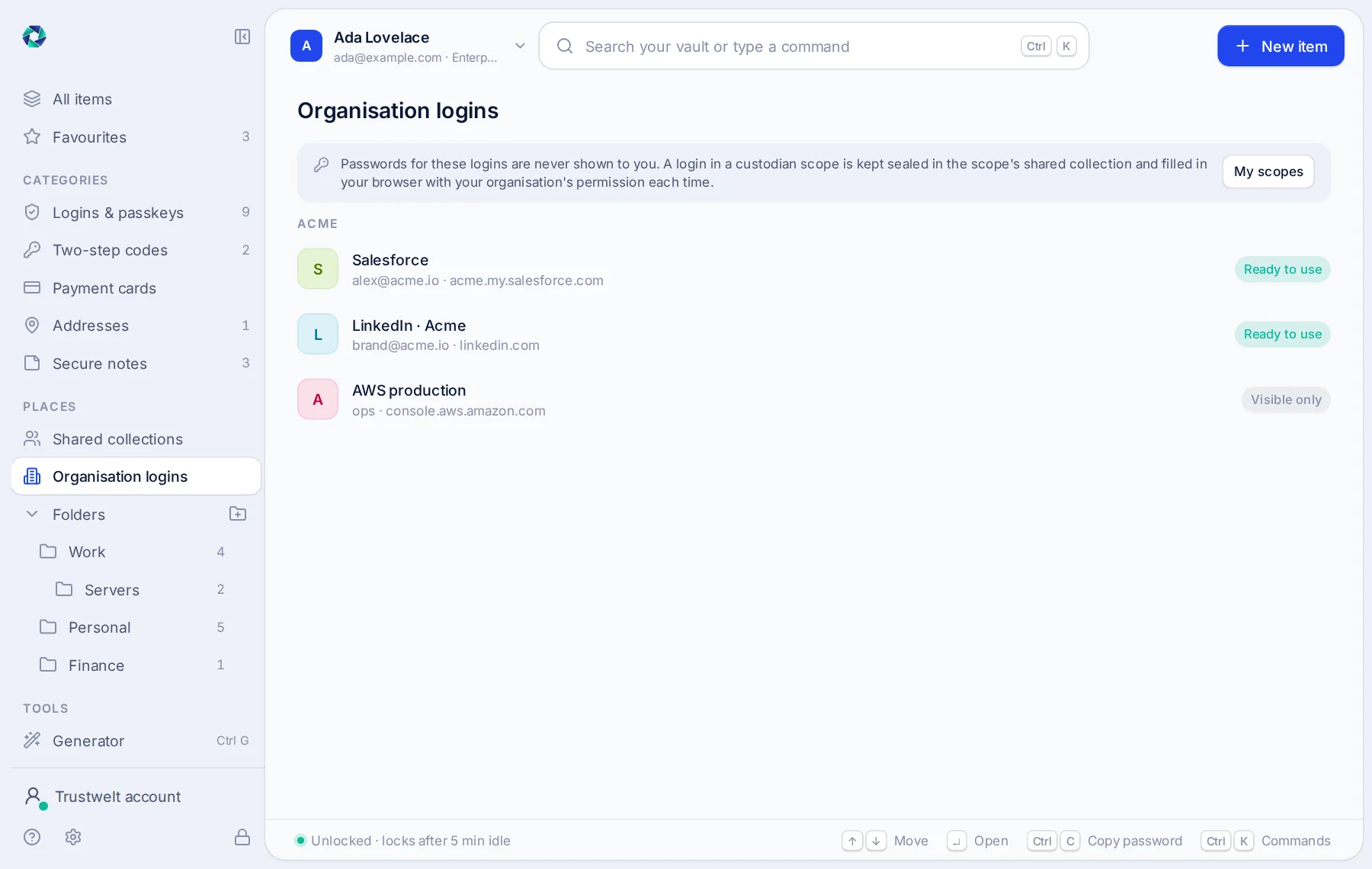
- Your organisation's logins and cards on Business and Enterprise: listed by site and username, filled under a one-time permission, never shown or copied.
- Your activity record and the metadata of the cards you choose, in your own Portal space.
- Sign out, or revoke the computer from the Portal, and the organisation's items leave the computer. Your own vault stays.
Security is never plan-gated
Encryption, the Secret Key, auto-lock, the recovery kit, import and the browser extension are in every edition, with or without a plan. A plan only adds features; it never switches a control off.
On a work computer
Your organisation sets it up. You type your master password once.
When your organisation manages the computer, Trustwelt Desktop arrives ready: the browsers are connected, your organisation's logins are there, and its web rules are in force. There is nothing to install, pair or switch on.
Company logins, never seen
The logins your organisation gives you are filled on the right site with its permission. You use them; you never see or copy their passwords.
Web protection in every application
The sites your organisation blocks stay blocked in every browser and every application, and show your organisation's own page with whom to ask. Nothing you read or type is opened.
Quick to come back to
Lock the window when you step away; filling and protection carry on. A short PIN of your own brings it back, and your master password is still asked for anything that matters.
What stays yours
Your own logins, cards and notes stay in your own vault, encrypted with your key. Your organisation sees what it is responsible for: its own logins, the sites it blocked, and whether the computer is protected. Never your personal items, and never the sites you open, unless it has switched a full activity log on and told you so.
Open source
Free software, by design.
Its vault, Vault Lite, is released under the GNU Affero General Public License, version 3 or later, with a short set of additional terms that protect the Trustwelt name and logo. Read the code, build it yourself, audit it.
- Rust for the vault, the service and the importers; TypeScript for the window and the extension.
- A documented file format, a threat model and a written browser protocol.
- Builds and tests run in containers, so a release can be checked on any machine.
Questions
Common questions about Trustwelt Desktop.
- Do I need an account to use Trustwelt Desktop?
- No. Trustwelt Desktop works fully without an account and sends nothing to Trustwelt. An account adds sync between your computers, sharing, and your organisation's logins and cards.
- Is Trustwelt Desktop free?
- Yes, for one person, on Windows, macOS and Linux, with every local feature included. Its vault is Vault Lite, free software under the GNU Affero General Public License.
- Can Trustwelt read my vault?
- No. The vault key is derived from your master password on your computer. Trustwelt never receives the password or the key, and the sync service stores only ciphertext it cannot open.
- What if I forget my master password?
- Use the recovery kit Trustwelt Desktop offers when you create a vault: it holds a recovery key that opens the vault so you can set a new password. Trustwelt keeps no copy of it. Without the password or the kit, nobody can open the vault.
- Which browsers does the extension support?
- Chrome, Chromium, Brave, Edge, Vivaldi and Opera, and Firefox, LibreWolf, Waterfox, Floorp and Zen. Arc on macOS. Trustwelt Desktop sets the browser up for you from its settings.
- Does Trustwelt Desktop store card security codes?
- Never. There is no field for the security code, and a save that carries one is refused. You type the code on the payment page each time.
Keep your passwords where you can see them.
Download Trustwelt Desktop, or ask us for an account to connect your computers.